Introducing ARI Workspace 1.0 — Research Teams, Encrypted Chat & Portal UI
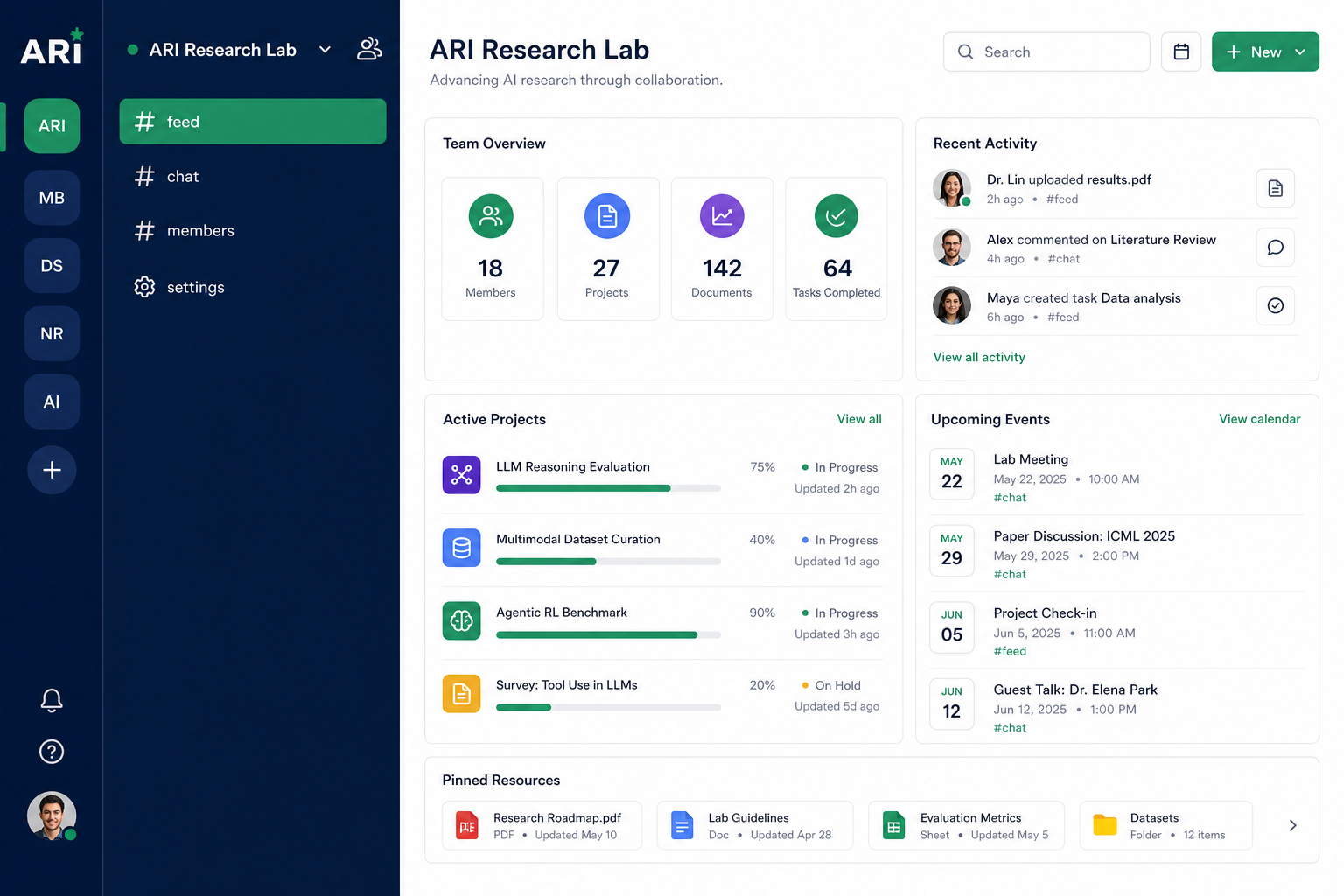
ARI Workspace 1.0 is live — a private research hub for supervisors, co-supervisors, and fellows. It combines a Discord-style portal layout with ARI’s navy/emerald branding, encrypted team chat, and full team lifecycle controls.
Log in at aribd.org/login and open Workspace to get started.
What’s new in Workspace 1.0
Discord-style portal (ARI light theme)
Site Admin and Workspace share one immersive app shell — no public marketing navbar inside the portal:
- Icon rail — quick jump between Admin, Workspace, and each research team
- Section sidebar — grouped admin links or team channels (
# feed,# chat,# members,# settings) - Full-height main panel — feed and chat fill the viewport like a modern team app
Team channels (URL-based)
Each research team is split into channels instead of tabs:
| Channel | Path | Purpose |
|---|---|---|
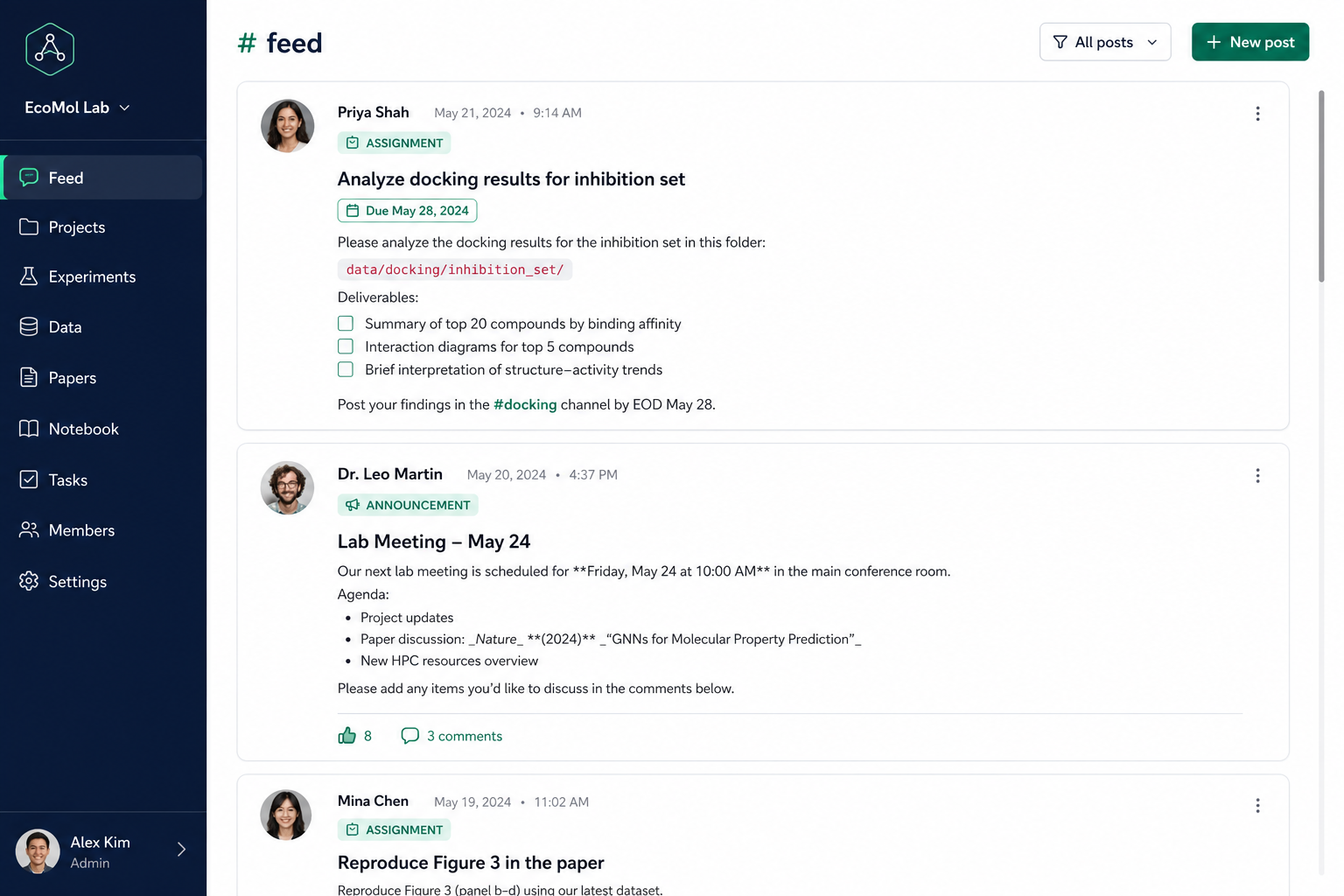
| Feed | /workspace/teams/{slug}/feed | Assignments, meetings, deadlines, resources |
| Chat | /workspace/teams/{slug}/chat | Encrypted team messaging + attachments |
| Members | /workspace/teams/{slug}/members | Roster, invites, mute controls |
| Settings | /workspace/teams/{slug}/settings | Archive, delete, restore (supervisors only) |
Encrypted team chat
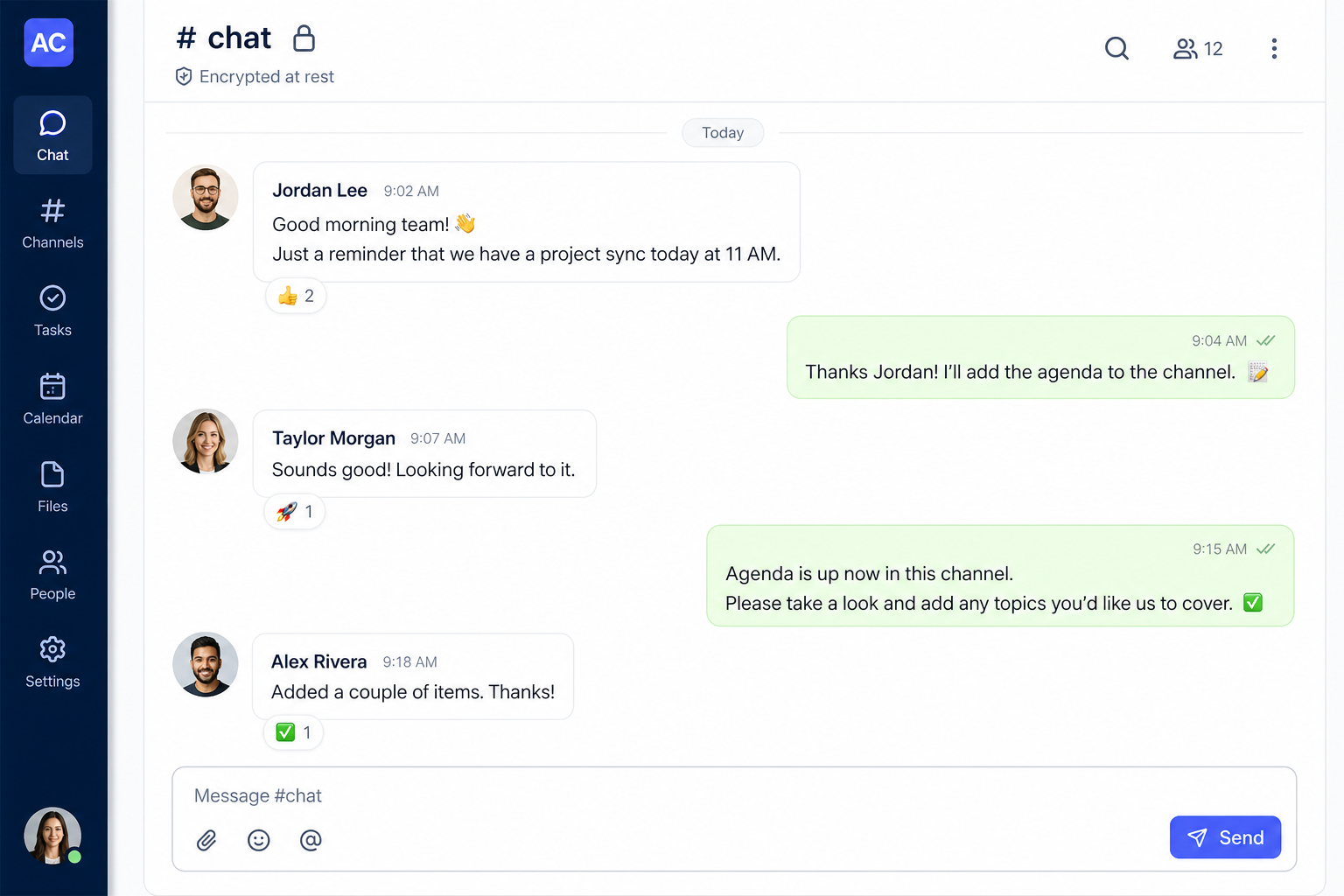
Chat messages are encrypted at rest with AES-256-GCM (random IV + authentication tag per message). The server never stores plaintext chat bodies in the database.
- Grouped messages and date dividers
- Multiline composer — Enter sends, Shift+Enter for a new line
- Profile photos on every message
- Attachments up to 1 MB in chat
Note: Encryption is at-rest, not end-to-end — the server holds keys so history can be loaded in the browser. Set a dedicated
CHAT_ENCRYPTION_KEY(64-char hex) in production.
Team lifecycle: archive, delete, restore
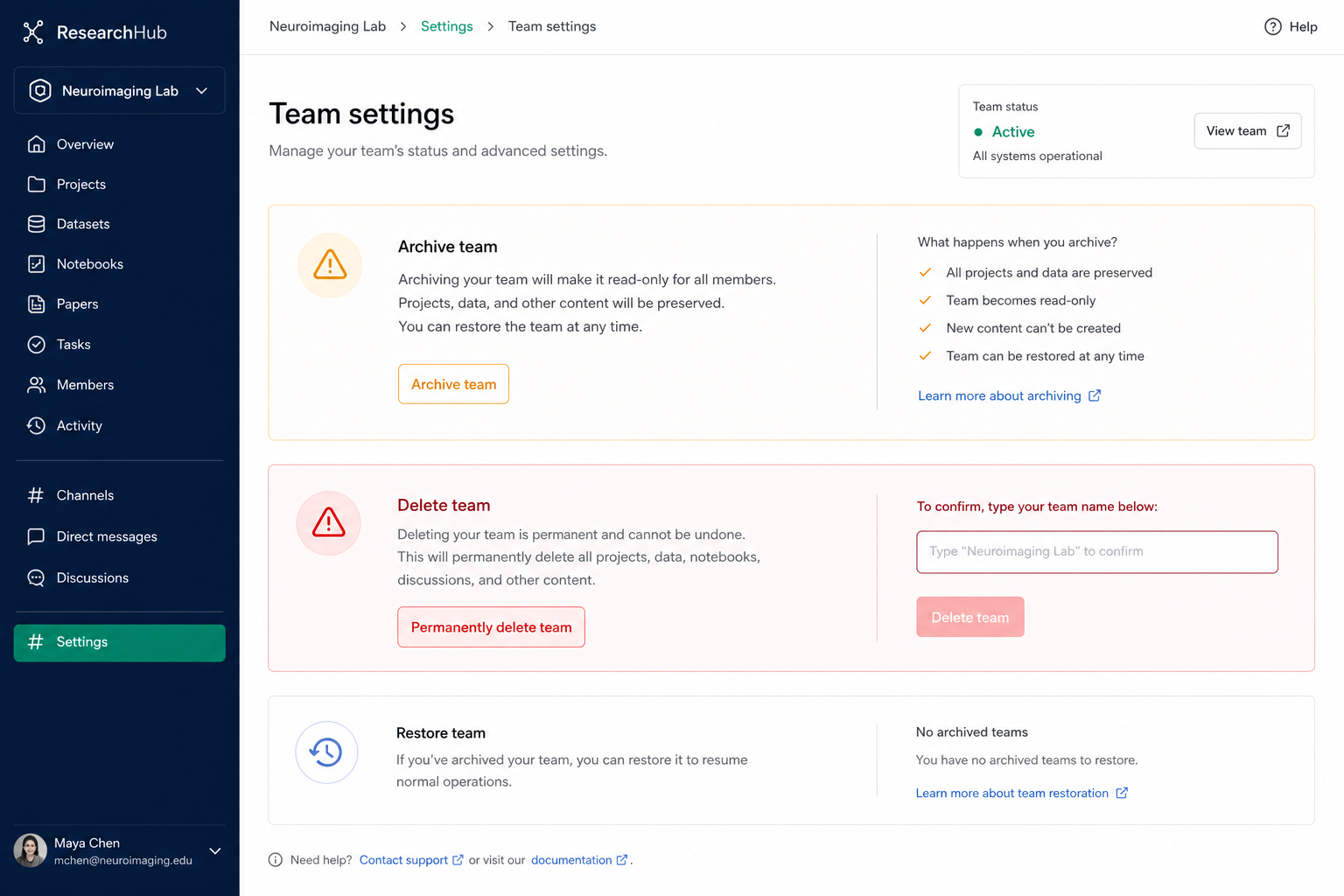
Supervisors and co-supervisors can manage team status from # settings:
- Archive — read-only mode; no new posts, chat, or comments
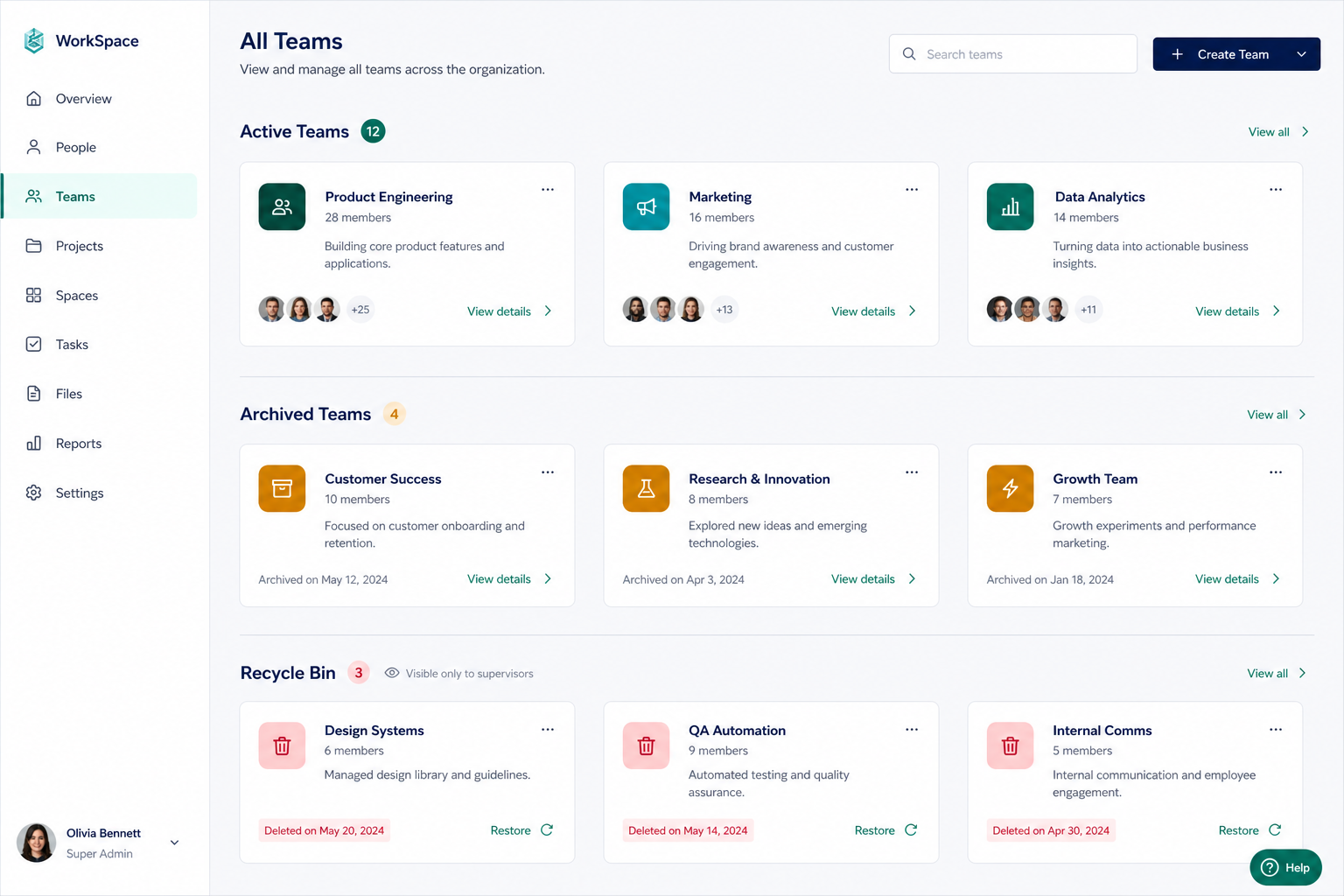
- Delete — moves the team to a supervisor-only Recycle bin (fellows lose access immediately)
- Restore — bring archived or deleted teams back to active
Deletion requires typing the exact team name — verified with constant-time comparison on the server to prevent timing attacks.
The All Teams page shows three sections: Active, Archived, and Recycle bin (staff only).
Unified profiles & fellow onboarding
- Supervisor profiles sync between Site Admin → Members and Workspace → My Profile
- Accepting a fellowship application auto-creates a fellow account and emails credentials
- Fellows upload profile photos after first login; avatars appear across feed, chat, and members
Site Admin parity
Site Admin uses the same portal shell with grouped navigation:
- Overview — Dashboard
- Content — Notices, Blog, Events
- People — Members, Fellows
- Inbox — Applications, Messages
Security practices built in
| Control | Detail |
|---|---|
| Chat encryption | AES-256-GCM, scrypt key derivation, production requires CHAT_ENCRYPTION_KEY |
| Team files | Auth + team membership on every download |
| Lifecycle audit | Immutable log of archive / delete / restore actions |
| Delete confirmation | Timing-safe name verification + rate limiting |
| Recycle bin access | Fellows blocked from deleted teams; supervisors/co-supervisors only |
| Rate limits | Chat, comments, uploads, and lifecycle actions |
Who should use it?
- Supervisors / co-supervisors — create teams, post assignments, run weekly meetings, moderate chat
- Research fellows — follow feed, participate in chat, submit comments, join Jitsi meetings from meeting posts
- Site admins — manage content, review applications, provision fellow accounts
Get started
- Sign in at aribd.org/login
- Open Workspace
- Create a research team (staff) or wait for your supervisor to add you (fellows)
- Explore
# feed,# chat, and# members
Questions? Contact ARI or browse more posts at aribd.org/blogs.
Workspace 1.0 is open source under MIT — fork it for your lab, club, or mentorship programme.